A law firm's website, in a week.
A law firm’s complete website and staff portal — set up, written and indexed for you.
Everything, set up for you.
MRP ₹1,50,000₹10,000
One payment. Setup, your content, search engines and a year of priority support included.
Built from scratch by a studio, this is about ₹7,40,000 of work. See the estimate ↓
- Delivery
- About a week
- Your time
- One call, one review
- Support
- Priority, 12 months
Not a theme. A finished website.
We do every step a developer would do for a custom build — you send your details, we hand you a live, indexed site.
- 01
Your own database
A Neon Postgres database created on your account, so your data is yours. It never pauses — it wakes on the first visit.
- 02
Hosting & domain
Deployed on our Vercel infrastructure, connected to your domain with HTTPS. Images are served from Vercel’s CDN.
- 03
All your content, entered by us
About Us, practice areas, every advocate’s profile, contact details, the WhatsApp card, courts, panels and openings.
- 04
Your choice of design
Pick any of the four home-page heroes and either team layout. Switch any time from your dashboard.
- 05
Search engines, done
Submitted and verified on Google, Bing — which also feeds Yahoo, DuckDuckGo and Ecosia — and open to Brave’s crawler.
- 06
Written for search
Page titles and meta descriptions for every page, structured data, an llms.txt for AI answer engines, and share cards for WhatsApp and LinkedIn.
- 07
A developer, start to finish
One person sets it up, walks your partners through the dashboard and stays your contact.
- 08
Priority support for a year
Fixes, small changes and questions answered first, for twelve months from launch.
Choose your hero. Change it any time.
The same content, four compositions. Try each one live from the Layouts panel on the demo.
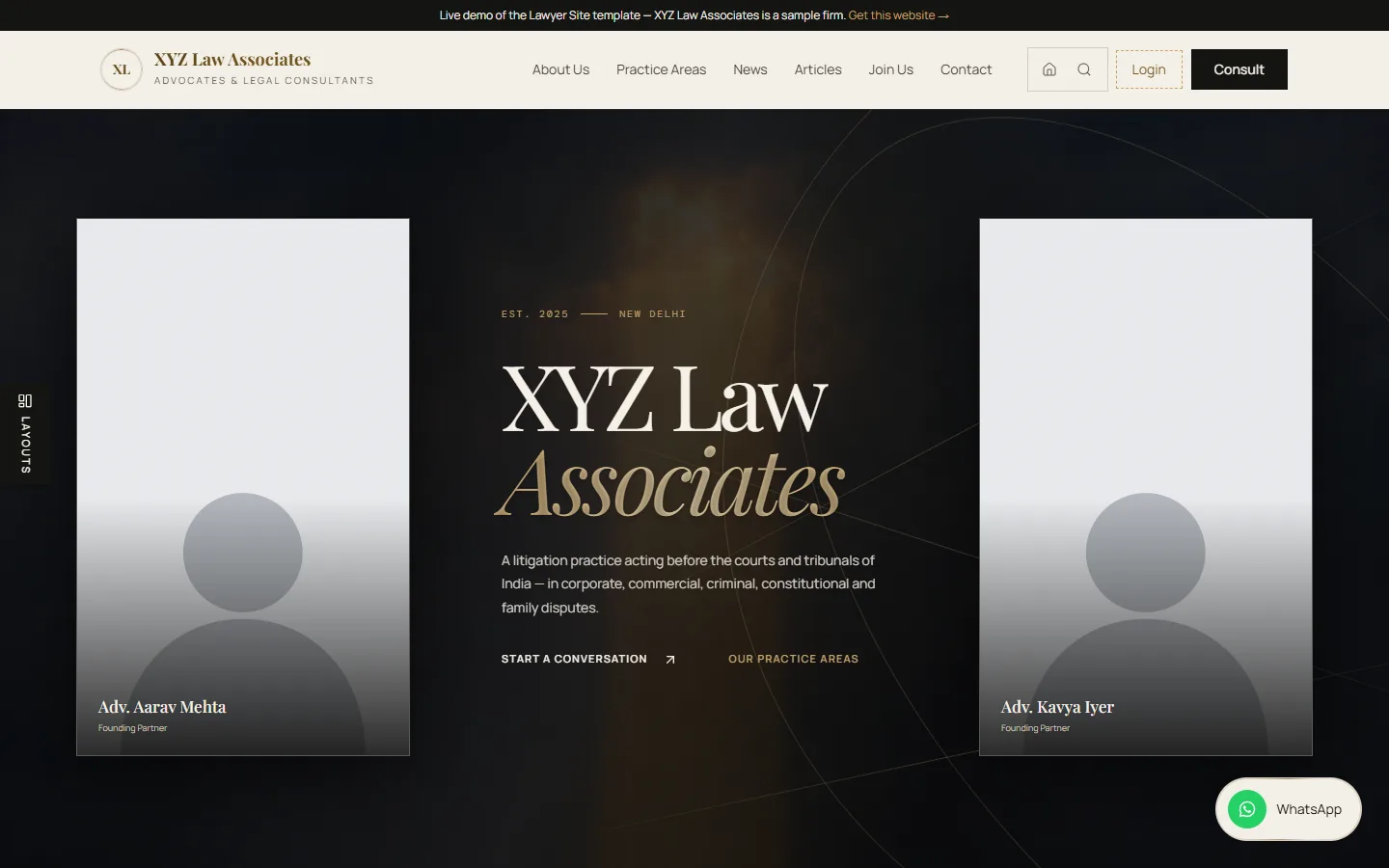
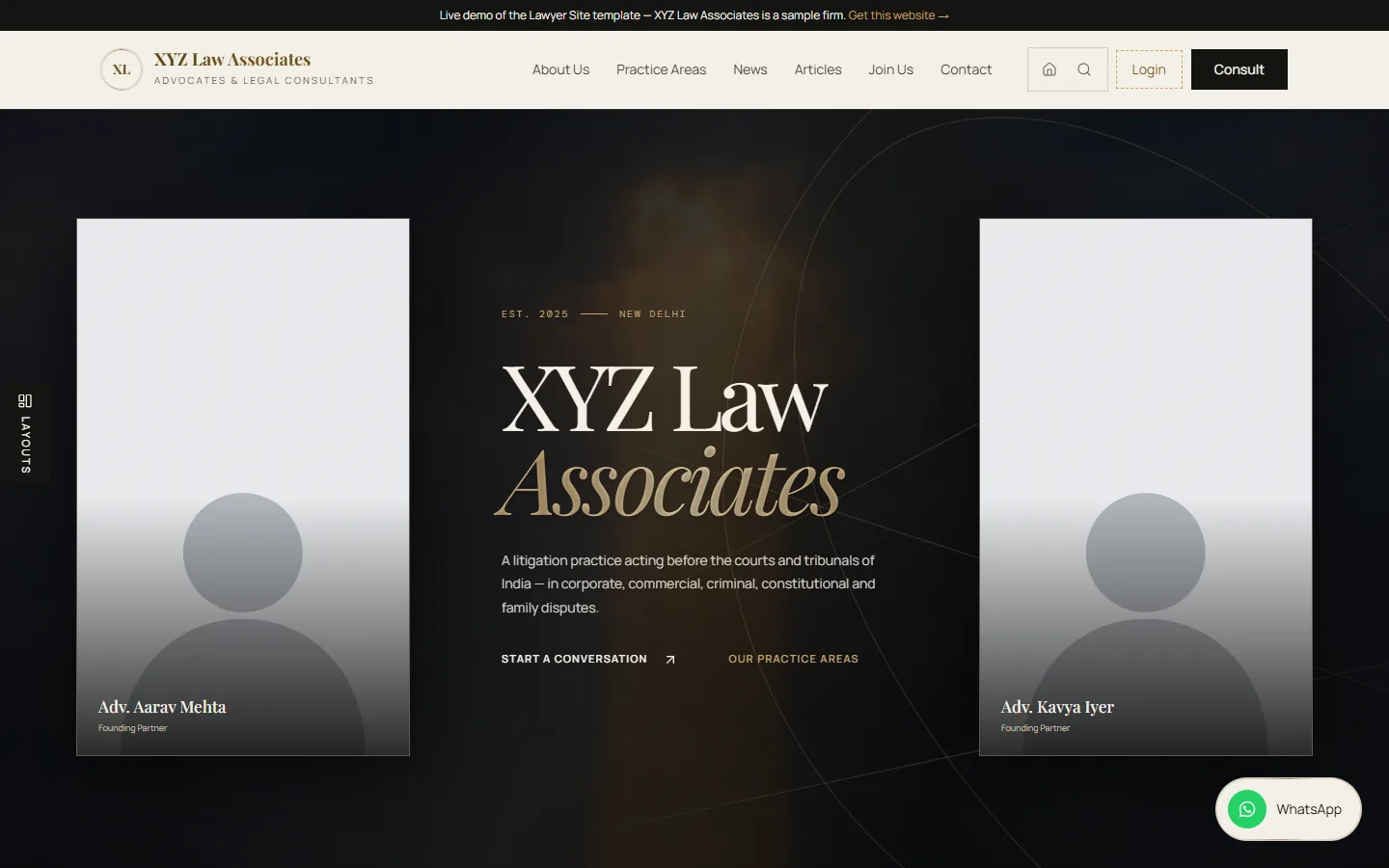
The founding partners stand either side of the firm’s name, over a slow, dark film.
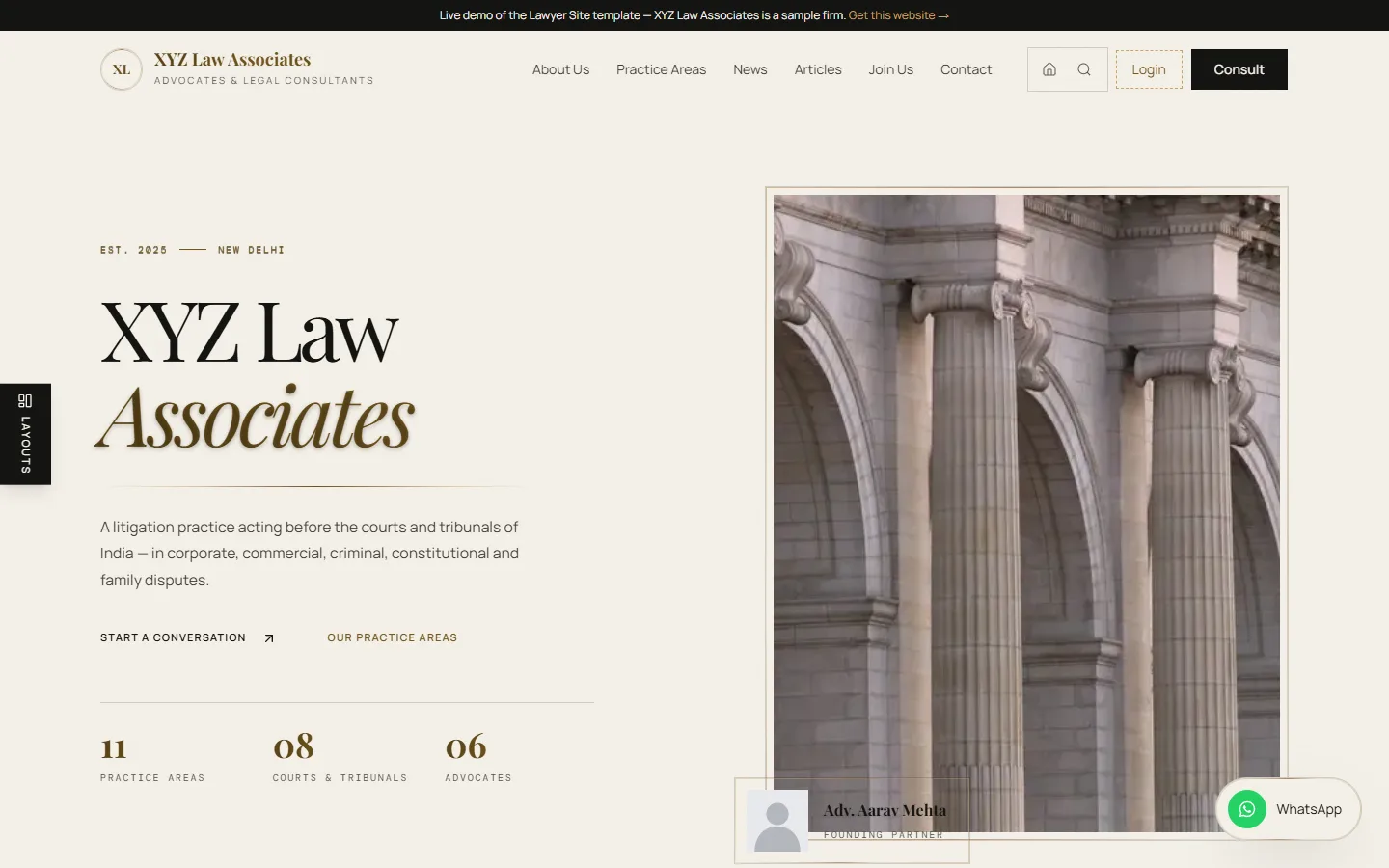
A magazine split: the headline and the firm’s numbers beside one tall architectural photograph.
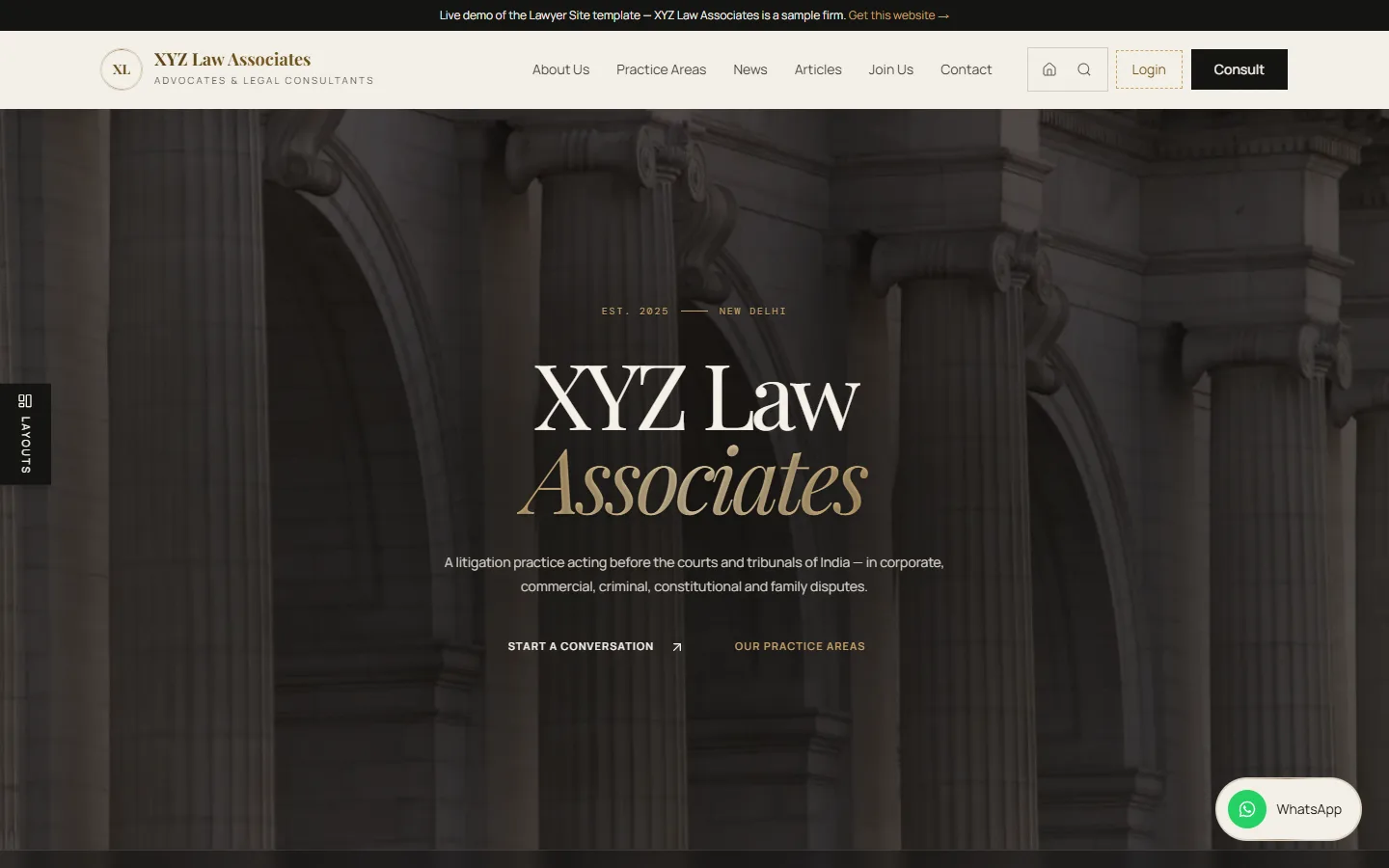
One full-bleed photograph, the name centred over it, the courts running along the foot.
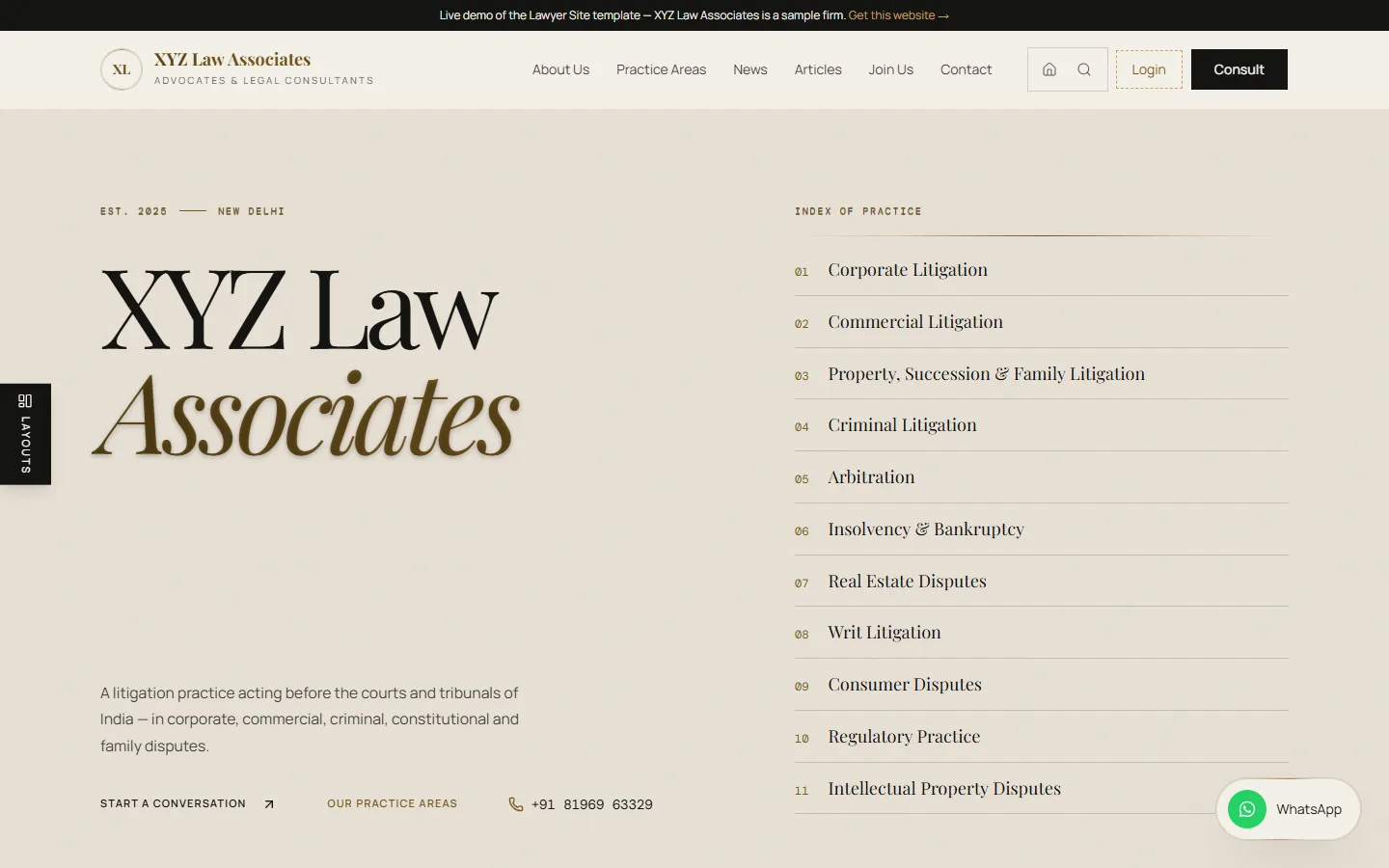
No imagery at all — the name set large and the practice areas as a numbered index.
Two ways to present your team
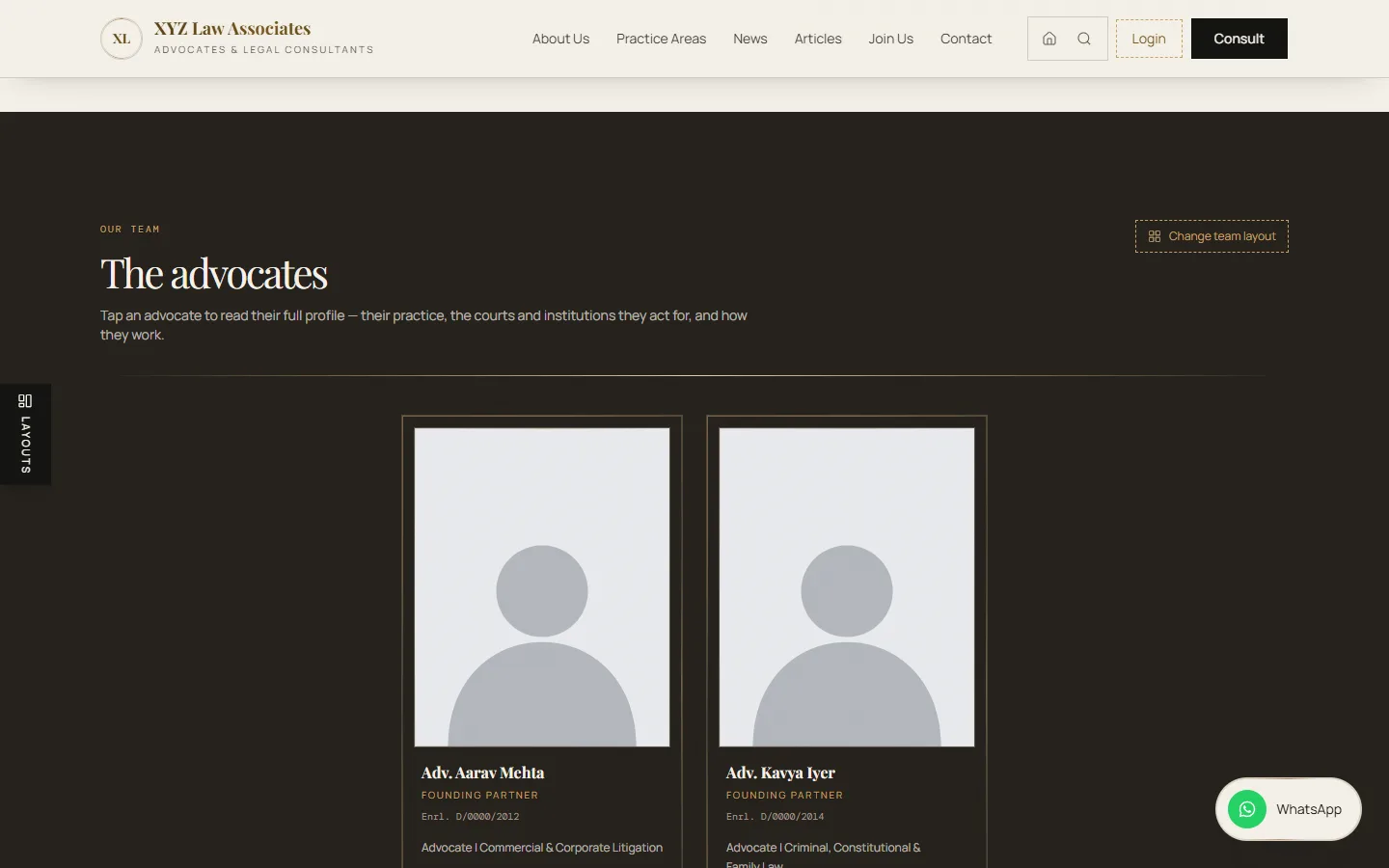
The partners on their own row, the team’s shared introduction, then every associate.
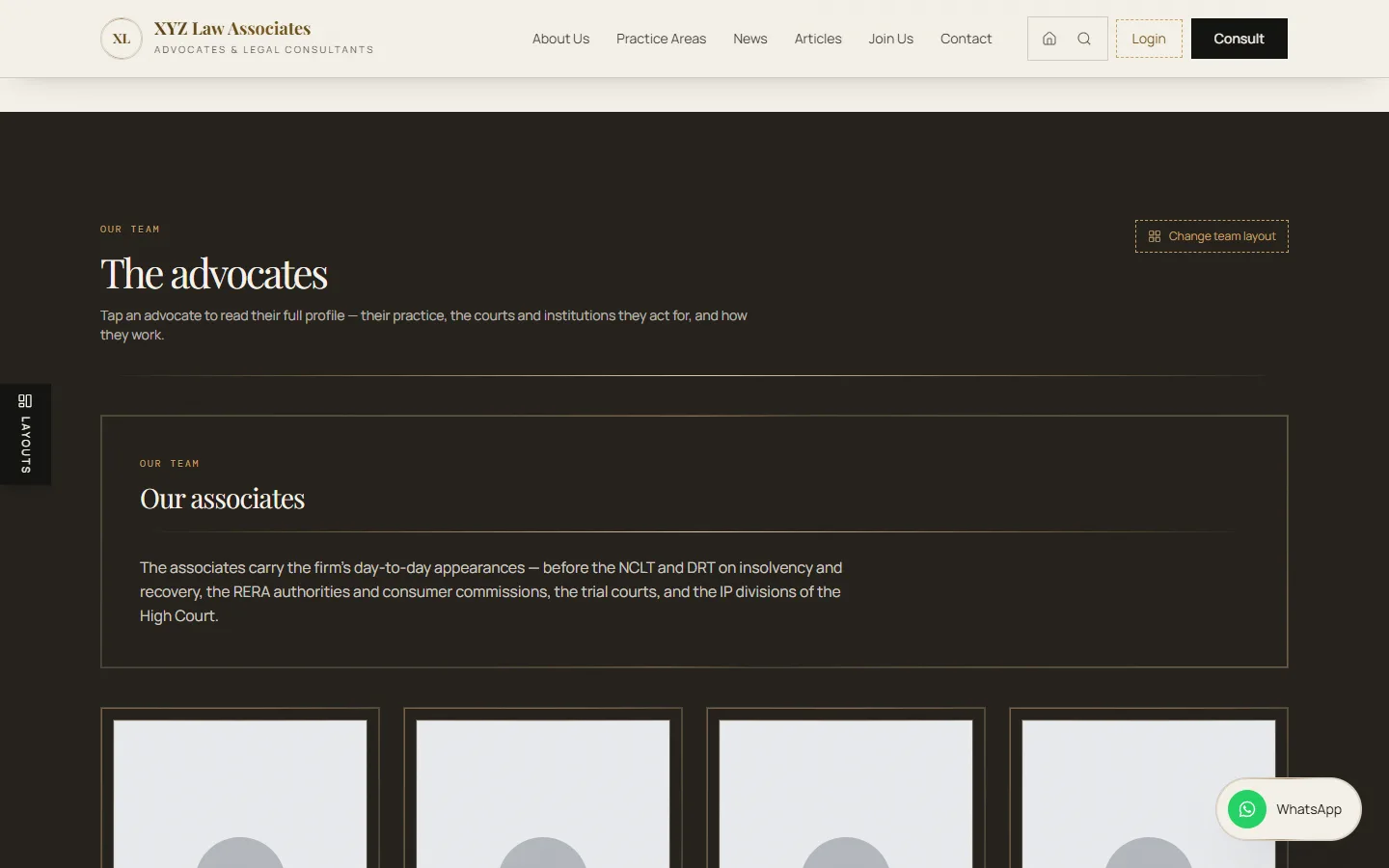
The shared introduction, then one grid where nobody is set apart.
Every advocate without a photograph shows a neutral grey portrait until you upload one.
Your firm runs it. No developer needed.
A private portal for partners and staff, on your own domain. On the demo, type any password — or none — and press Enter.
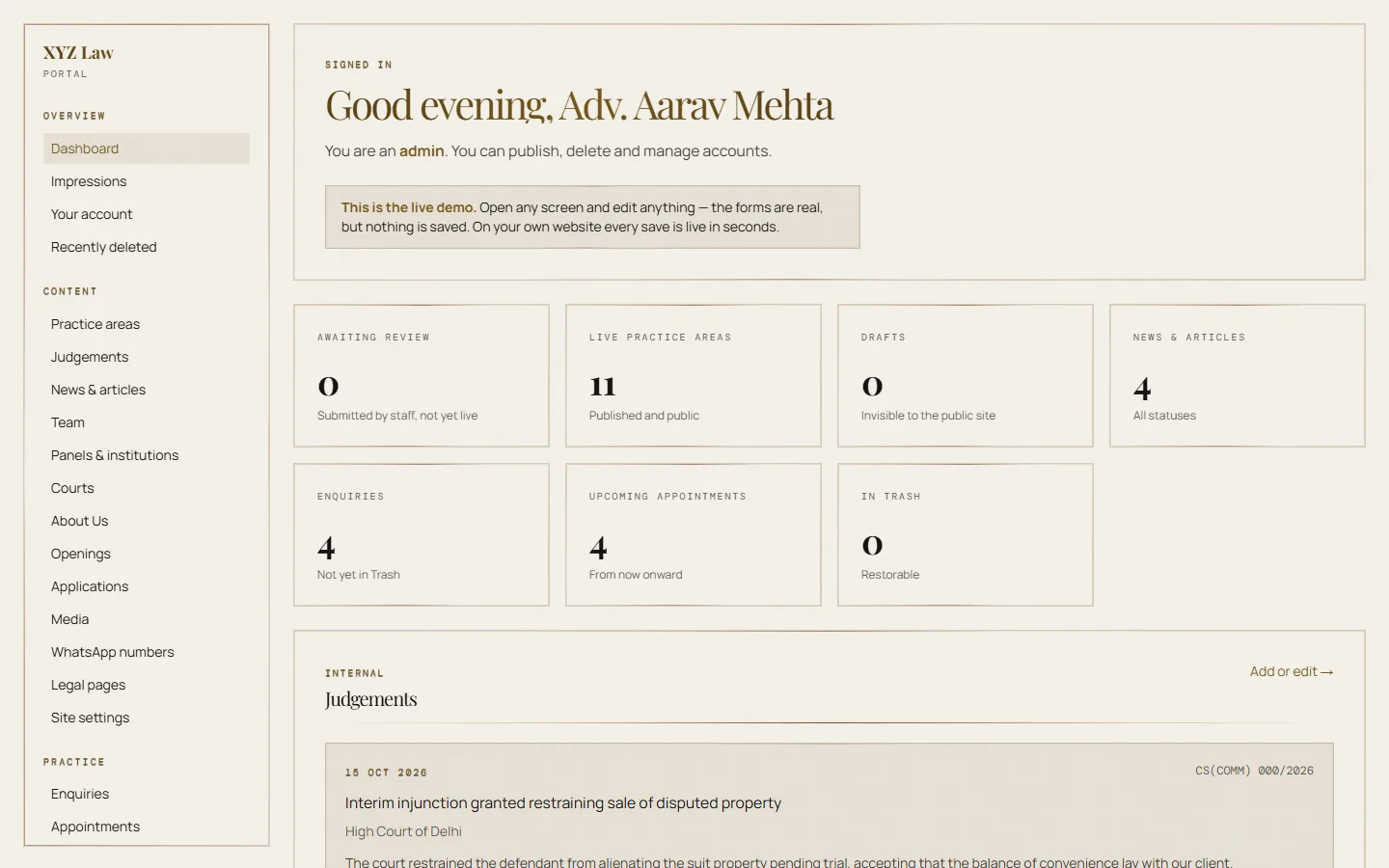
The dashboard — what needs you today.
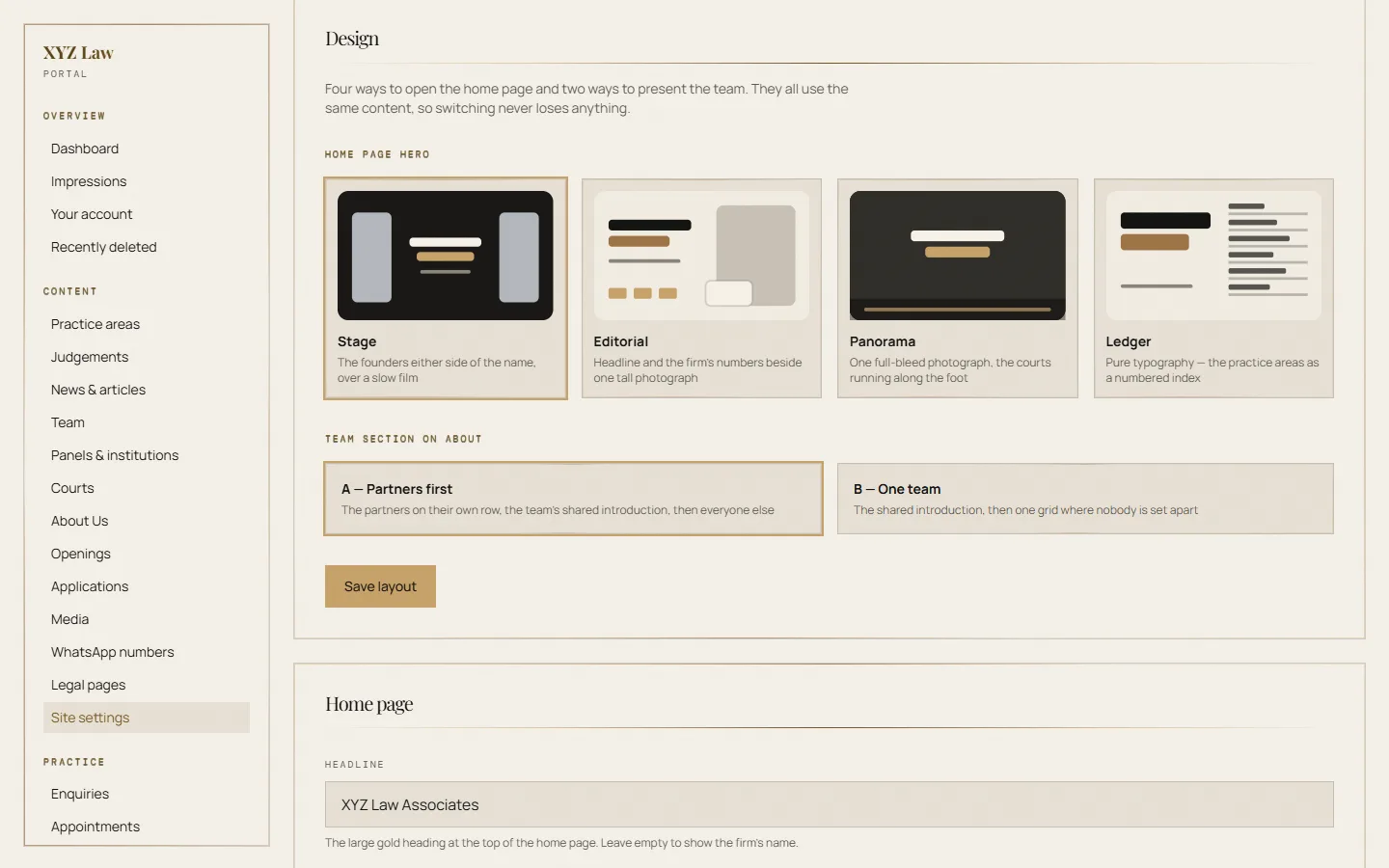
Design: choose your hero and team layout.
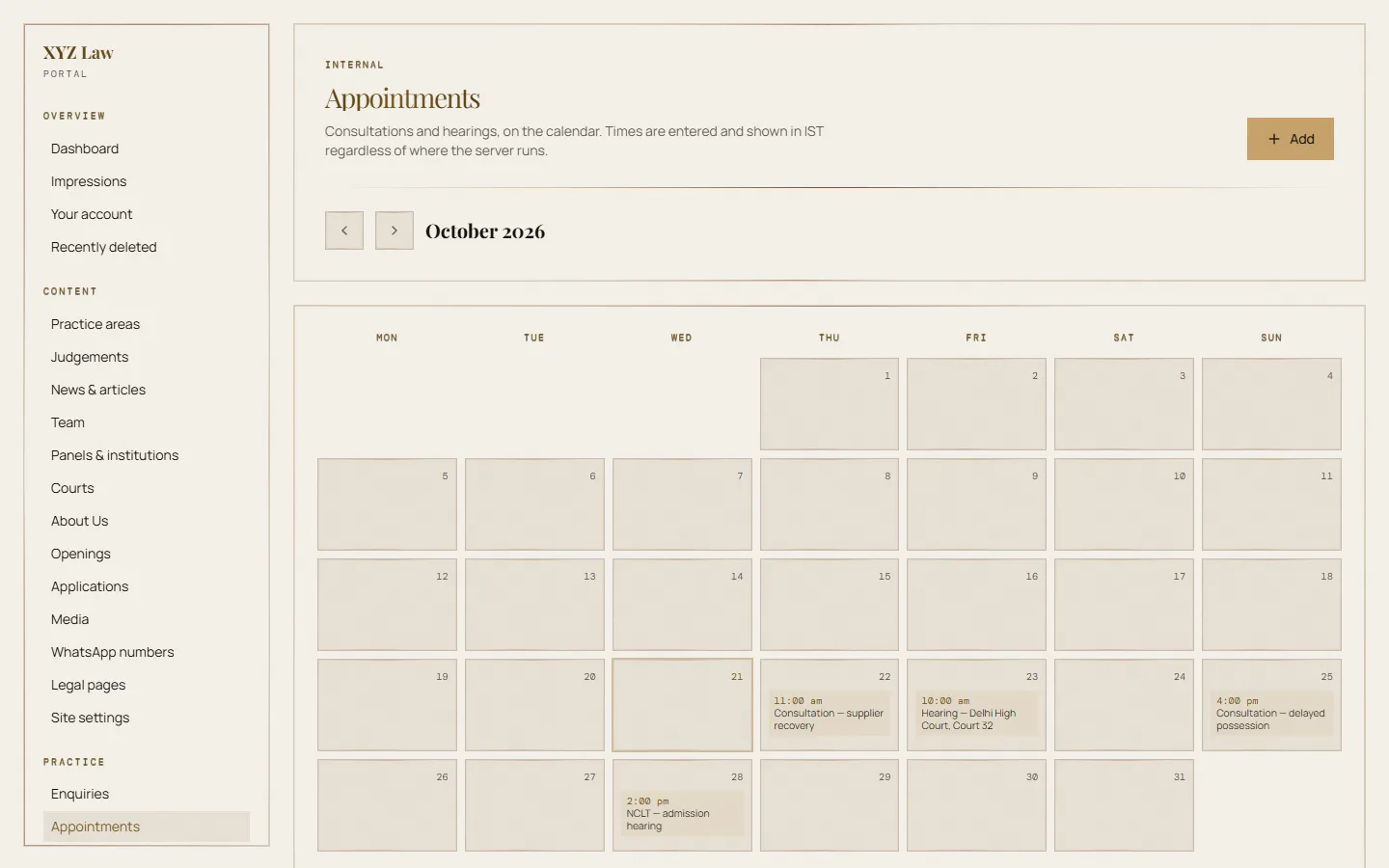
Appointments, always in IST.
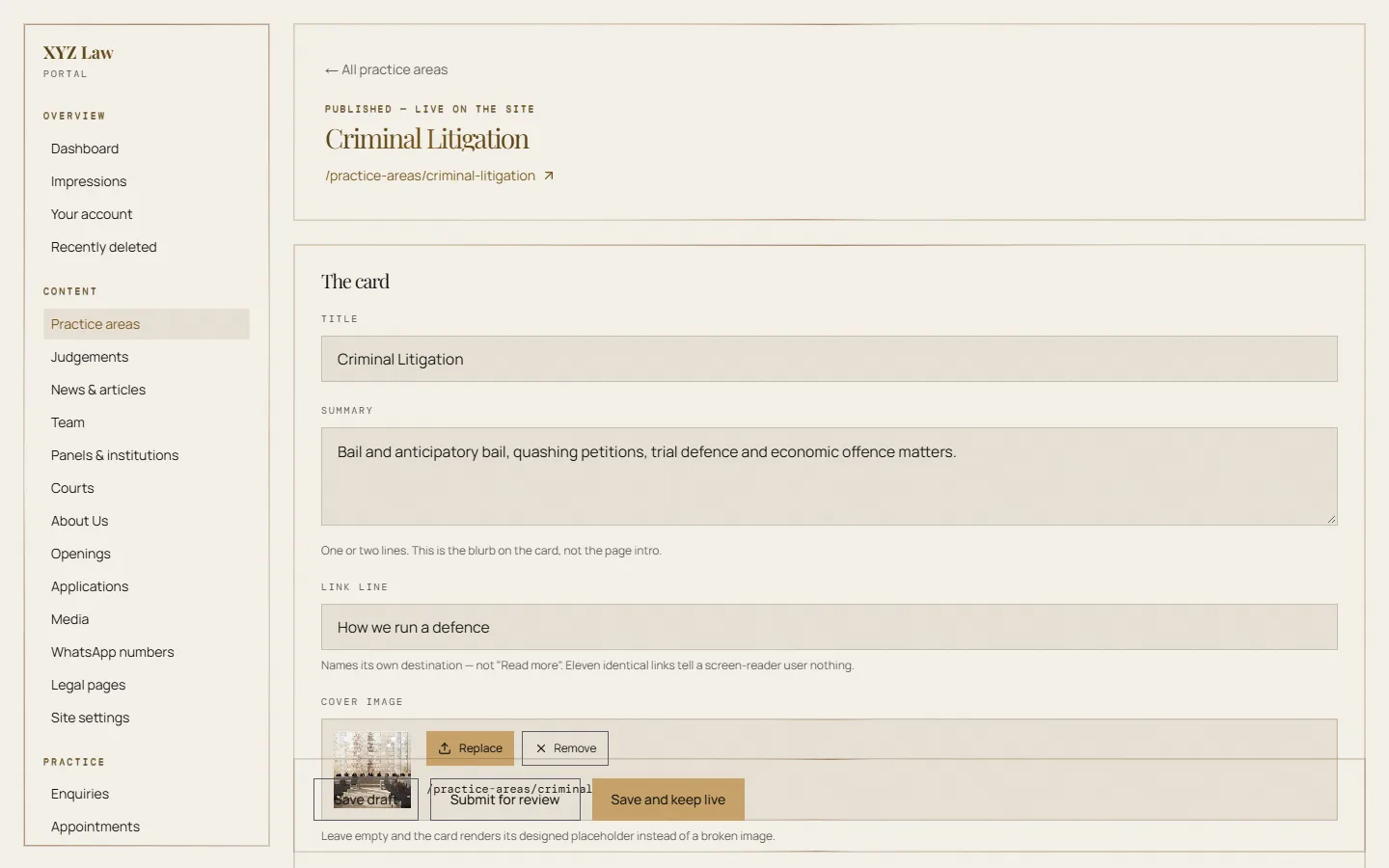
Editing a practice area.
Sign-in, roles & permissions
Admin and staff accounts. Staff edit and submit; only an admin publishes, deletes or manages users. Every rule is checked on the server, on every request.
Password reset
Forgotten passwords are reset by email with a single-use, one-hour link. Changing a password signs out every other device.
Publishing workflow
Draft → submitted → published, for practice areas, news, articles and openings. Live content cannot be edited by staff.
Practice areas
Page copy, highlights, galleries and the text Google shows, per area.
Team
Profiles, standing lines, areas of practice, Bar enrolment, LinkedIn and portraits.
News & articles
Write, attribute to advocates, schedule a dateline and publish.
Enquiries & appointments
Every contact-form enquiry in one inbox; consultations and hearings in IST, with a morning email of the day’s list.
Careers
Openings on the Join Us page and an applications inbox. CVs are stored privately and download only for signed-in staff.
Judgements board
Wins worth recording, shared inside the firm and never published.
Media library
Every upload converted to WebP automatically — smaller files, same quality.
Legal pages
Write your own Disclaimer and Privacy Policy, or keep the standard text.
Site settings
Name, logo, Google summary, addresses, phones, hours, design and the Grievance Officer.
Recently deleted
Deletions wait seven days in a trash you can restore from, then clear themselves.
Audit log
Every change, by whom and when. Read-only, administrators only, and nobody can delete from it.
Impressions
Which pages are read, counted on the server with no cookies and no personal data.
Every page, already built.
Your practice areas, team and articles fill these pages — add more from the dashboard whenever you like.
- Home
- Hero (one of four)
- Up to four founders in the hero
- Practice areas
- Clients & panels — add as many as you like
- Courts & tribunals — add as many as you like
- Consultation call to action
- About Us
- The firm
- How to reach the firm
- The advocates (layout A or B) — any number
- Full profiles
- Practice Areas
- 11 areas to start — add, rename or remove any
- Each with its own page
- Highlights
- Questions & answers
- Image gallery
- News
- Unlimited posts
- Each news item with its own page
- Articles
- Unlimited articles
- Each article, with its authors
- Join Us
- Internships & vacancies — open as many as you need
- Application form with CV upload
- Contact
- Addresses & map
- Phones & email
- Enquiry form with online booking
- WhatsApp card
- Legal
- Disclaimer (shown on arrival)
- Privacy Policy (DPDP Act 2023)
- Staff portal
- 25 screens — see above
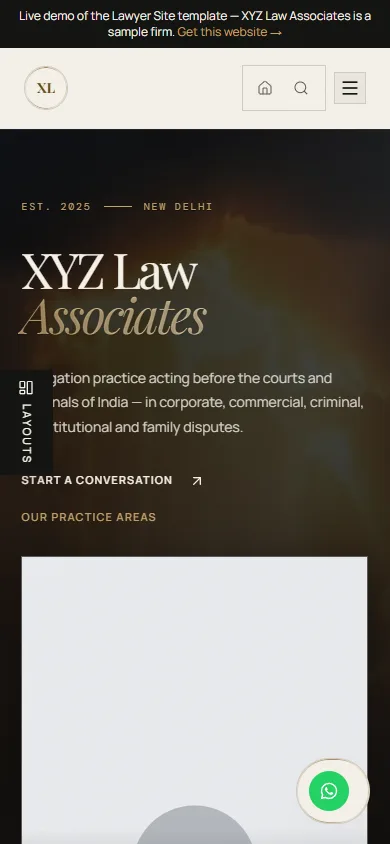
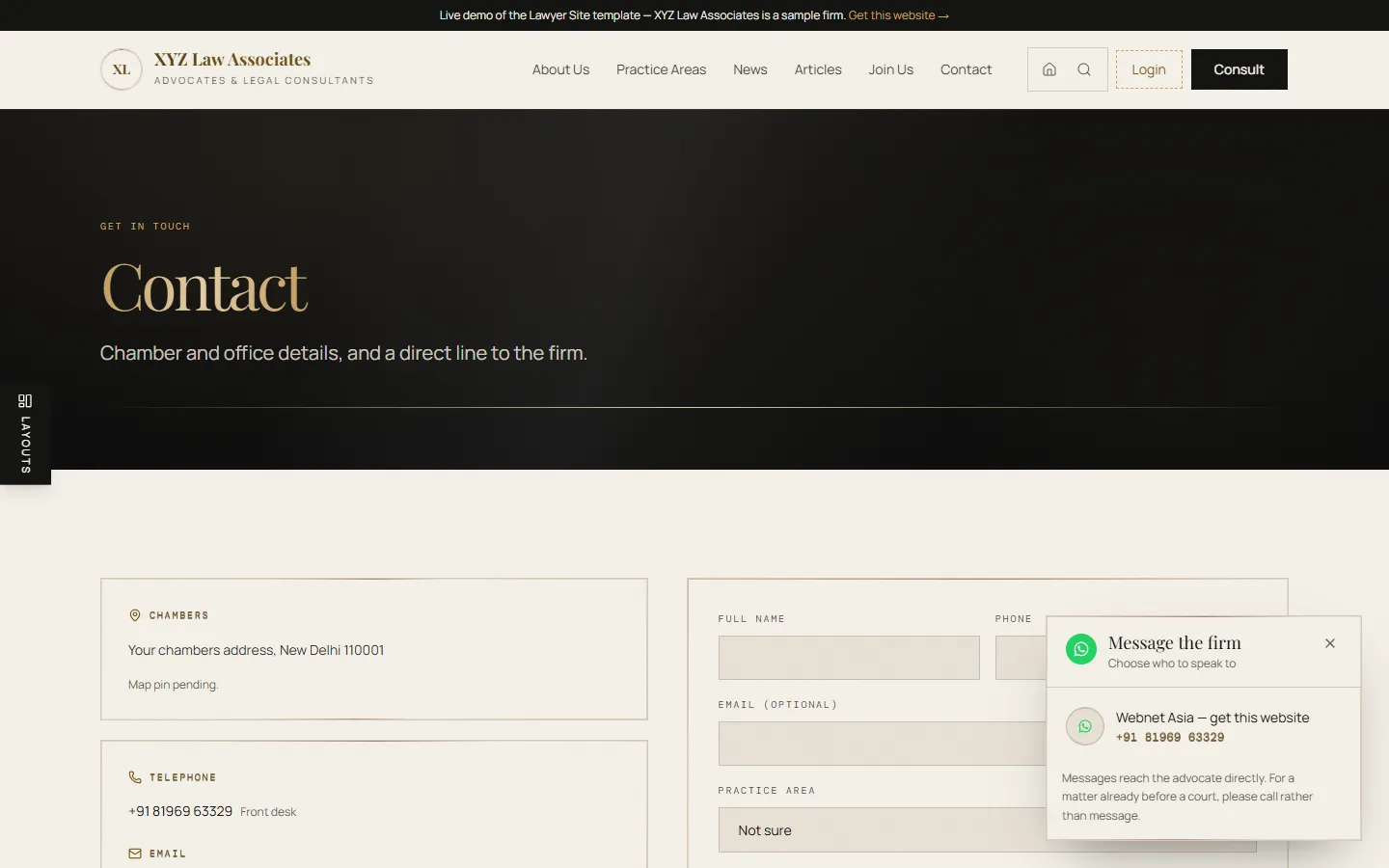
Designed for the phone first — most people find a lawyer on one. The floating WhatsApp card lists each advocate’s number, so a visitor messages the right person directly.
Built for Indian law.
- Bar Council of India, Rule 36
- Every visitor accepts the standard disclaimer before entering. The copy states what the firm does and where — no claims, no comparisons, no solicitation.
- DPDP Act 2023 — consent
- Both forms ask for consent, and the exact sentence shown is stored with the date in an append-only ledger.
- DPDP Act 2023 — notice
- The Privacy Policy is generated from how the site actually works: who receives data, how long it is kept, and your named Grievance Officer.
- Analytics only with permission
- Google Analytics stays off until a visitor presses Accept. The site’s own page counts carry no personal data at all.
- Security
- Strict security headers, rate-limited forms, spam traps, scrypt-hashed passwords, 12-hour sessions and server-side checks on every change.
Found on Google, Bing and AI.
- SEO
- Hand-written titles and meta descriptions, canonical URLs, a live sitemap, clean robots rules and fast, accessible pages.
- AEO — answer engines
- Each practice area carries question-and-answer blocks marked up for Google’s rich results.
- GEO — generative engines
- An llms.txt index and a connected entity graph: the firm, its advocates and its writing described in schema.org markup that AI search can cite.
- SXO — search experience
- Mobile-first pages, share cards for WhatsApp and LinkedIn, and instant indexing (IndexNow) the moment something is published.
About a week.
- Day 1
A call: your details, your photos, and which hero and team layout you want.
- Days 2–3
We create your database, connect hosting and your domain, and enter every page.
- Days 4–5
You review the site and the dashboard; we make your changes.
- Days 6–7
Launch, search-engine submission, and a walkthrough for your partners.
The setup is a day’s work. The rest is waiting on photographs, details and domain access — occasionally it runs a little over a week.
A short checklist.
- Your firm’s name and logo (or we engrave your initials)
- Addresses, phone numbers, WhatsApp numbers and email
- Each advocate’s name, designation, short profile and photo
- Bar enrolment numbers you want shown
- Which practice areas to keep, and the courts you appear before
- Your domain — or we help you register one
- Two minutes to sign up for Neon with your email, so the database is in your name
- The partner who will be your Grievance Officer under the DPDP Act
₹7,40,000 of work, for ₹10,000.
What a studio would bill to design and build this from nothing for one firm — 528 hours at ₹1,400 an hour, a conservative blended rate for an established Indian design and development studio. You pay ₹10,000 because the build is done once and shared; your content, your data and your setup are still yours alone.
- Framework
- Next.js 16, React 19, TypeScript
- Database
- Neon Postgres — 32 tables, on your account
- Files
- Vercel Blob for images (auto-WebP); CVs held privately in the database
- Hosting
- Vercel, Singapore region, with a global CDN
- Access control
- Per-user roles enforced on the server for every query
- Sessions
- Signed, HTTP-only cookies; 12-hour limit; reset links single-use
| Work | Hours | Value |
|---|---|---|
| Discovery, sitemap & content structure | 16 | ₹22,400 |
| Visual design — design system, four heroes, every page | 64 | ₹89,600 |
| Front-end build — responsive, motion, accessibility | 84 | ₹1,17,600 |
| Staff portal — publishing workflow, media, trash, settings | 96 | ₹1,34,400 |
| Case management — clients, matters, court diary, deadlines, ethical walls | 72 | ₹1,00,800 |
| Sign-in, roles, permissions, audit log, security | 32 | ₹44,800 |
| Enquiries, careers inbox, appointments, email alerts | 26 | ₹36,400 |
| DPDP & Bar Council compliance — consent ledger, privacy registers, encrypted IDs | 28 | ₹39,200 |
| Colour engine — two wheels, three sliders, contrast-tested palettes | 18 | ₹25,200 |
| Online consultation booking with confirmation | 14 | ₹19,600 |
| SEO, AEO and GEO foundations | 22 | ₹30,800 |
| Practice-area copy & FAQs for eleven areas (add as many more as you like) | 32 | ₹44,800 |
| Testing, performance & launch | 24 | ₹33,600 |
| Total | 528 | ₹7,39,200 |
When you want more.
- Google Business Profile
- Set up, verified and linked to your site.
- Business email
- name@yourfirm.in, with DNS records configured.
- Custom features
- Anything beyond the template — scoped and quoted separately.
Extras are quoted separately. Domain registration is paid to the registrar, at cost.
Before you ask.
Will other firms have the same website?
The same proven structure, with your name, logo, photographs, team and words — and a choice of four heroes and two team layouts. Visitors see your firm, not a template.
Who owns the content?
You do. The database is created on your own Neon account, and everything in it is yours.
Can we edit it ourselves?
Yes. Every word, photo, number and setting is edited from the dashboard. Nothing needs a developer.
Does it go to sleep?
No. Neon pauses the database only while nobody is visiting and wakes it on the next request, automatically. Nobody has to log in to keep it running.
Is it Bar Council compliant?
It is built to Rule 36 — the entry disclaimer, factual copy and no solicitation. What you add later is your responsibility as the firm, and the dashboard reminds you where it matters.
Why about a week, if setup is a day’s work?
The setup itself is a day. The rest is waiting on photographs, details and domain access, plus your review. If you have everything ready, it can be faster.